TextEdit on macOS
TextEdit is a useful text utility supplied in all versions of macOS since the early days of OS X. It supports the rarely used Rich Text Format (.rtf). There are times when I find .rtf files online, but it’s Plain Text (.txt) where TextEdit shines.
I use TextEdit as a scratch pad. Open TextEdit, hit New (⌘N), and paste text snippets from web pages, documents, urls, and more. Sometimes it helps me clean a url before loading it into another browser. Or I want to rework the text before pasting it back into my work. Or I want to collect a bunch of different quotes in an article I’m reading.
TextEdit also cleans text of formatting and other stray nonsense you run into when copying information from websites or documents. Copy rich text into a TextEdit plain text document, edit as needed, copy and paste back into your working document sans font styling. It can also transform selected text as upper or lower case, or capitalize all words using Edit > Transform.
TextEdit Settings
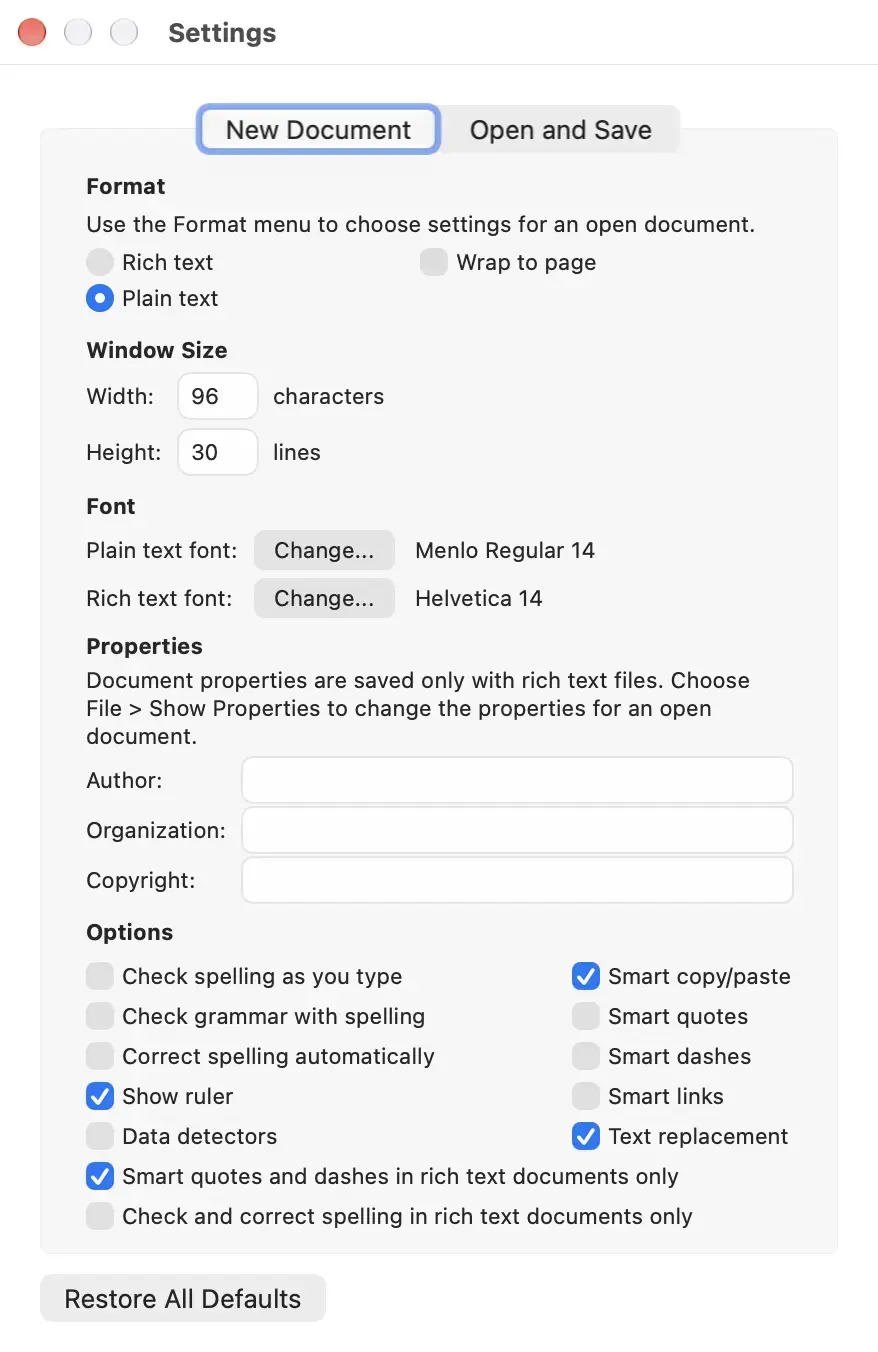
Set New Document settings to use Plain Text by default. I prefer the default window size to be 96 × 30 characters width and height. I also prefer setting the font sizes to 14. The default fonts of Menlo Regular and Helvetica are fine.
Modern macOS tries to help, too much, with autocorrect, spell checking, and more. These features can actually get in the way so I turn them off. I want raw, plain text with straight quotes, plain dashes, no smart links. Adjust these to suit your needs.
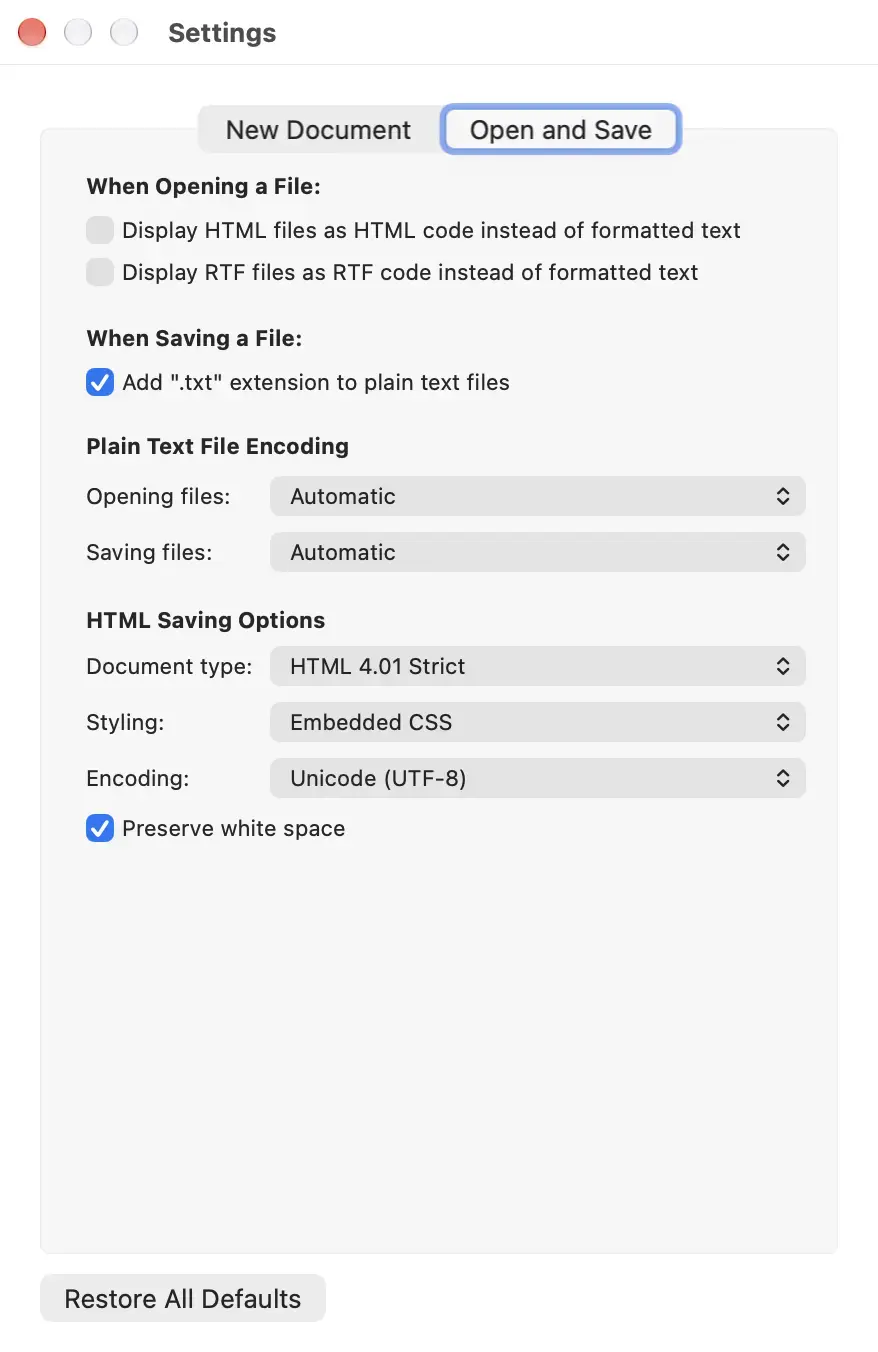
For Open and Save the defaults are solid.